01
Capture a vacancy. Keep the details together.
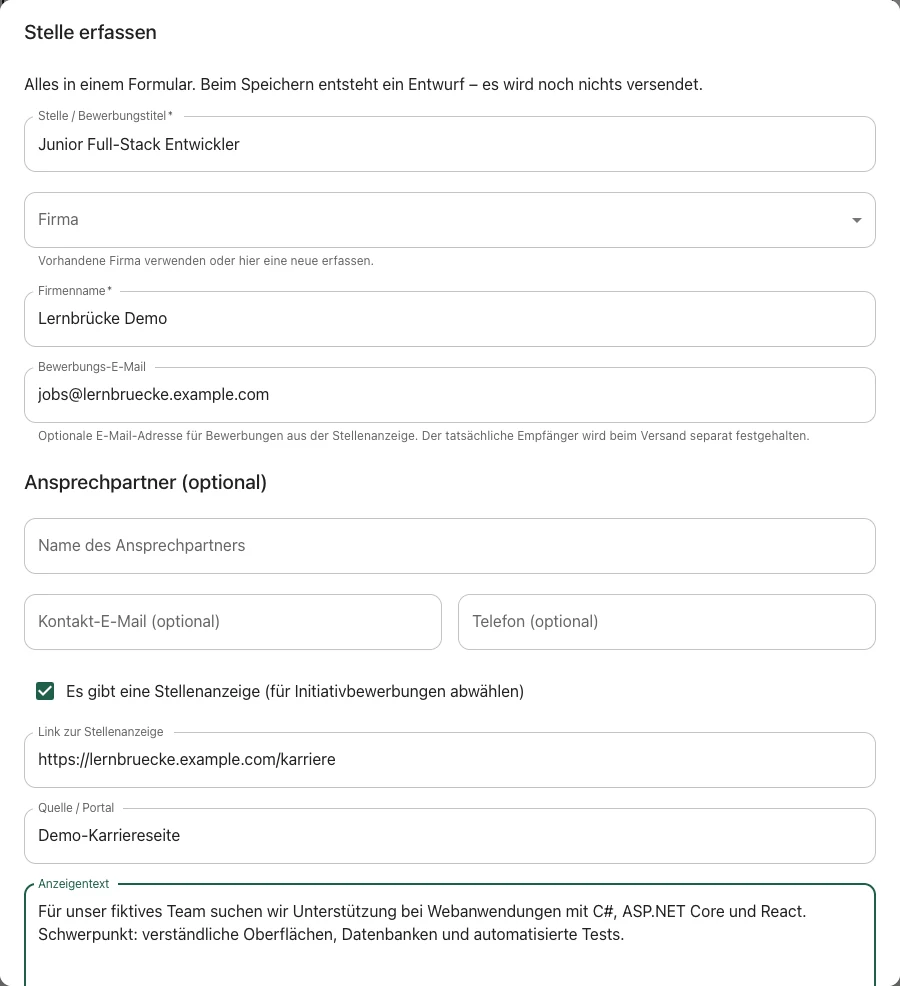
Company, position, job listing, contact and salary details are kept in one place. Drafts can be saved and continued later without having to gather the information again.
My newest & largest project
JobVerwalter Windows demo available
From the first job listing to a documented record: JobVerwalter brings structure to a job search. Software built around a personal need – conceived and directed by me, implemented with OpenAI Codex.
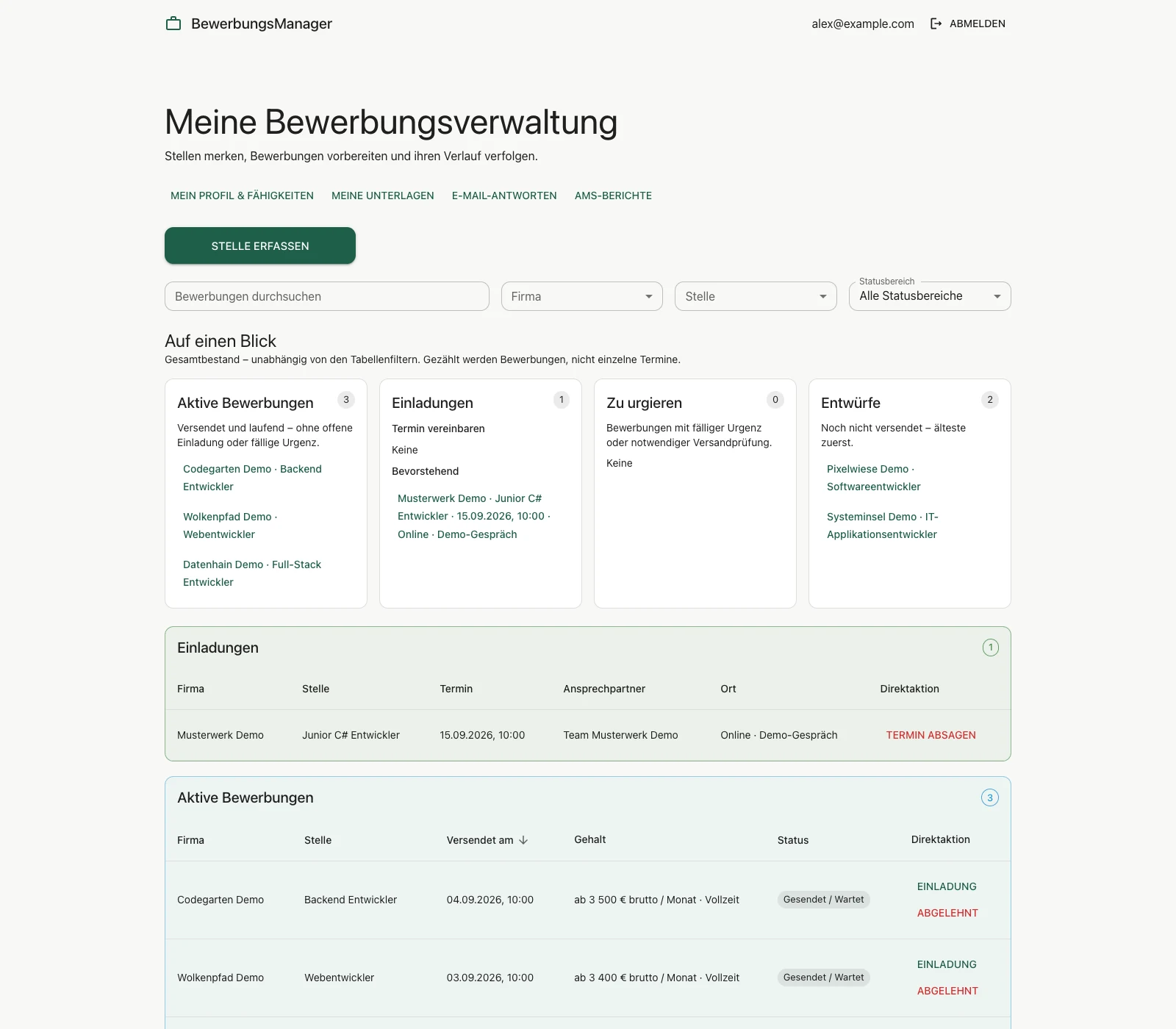
All software screenshots use exclusively fictional demonstration data and show an earlier development version. The application interface is in German.
Built around a real need
Job listings, résumé versions, emails and appointments quickly end up in separate places. JobVerwalter brings them into a traceable workflow for private, personal use, without exposing application data publicly.
See applications, invitations and outstanding steps together.
Choose specific document versions for each application.
Record submissions in the timeline and export evidence.
One connected workflow
Company, position, job listing, contact and salary details are kept in one place. Drafts can be saved and continued later without having to gather the information again.
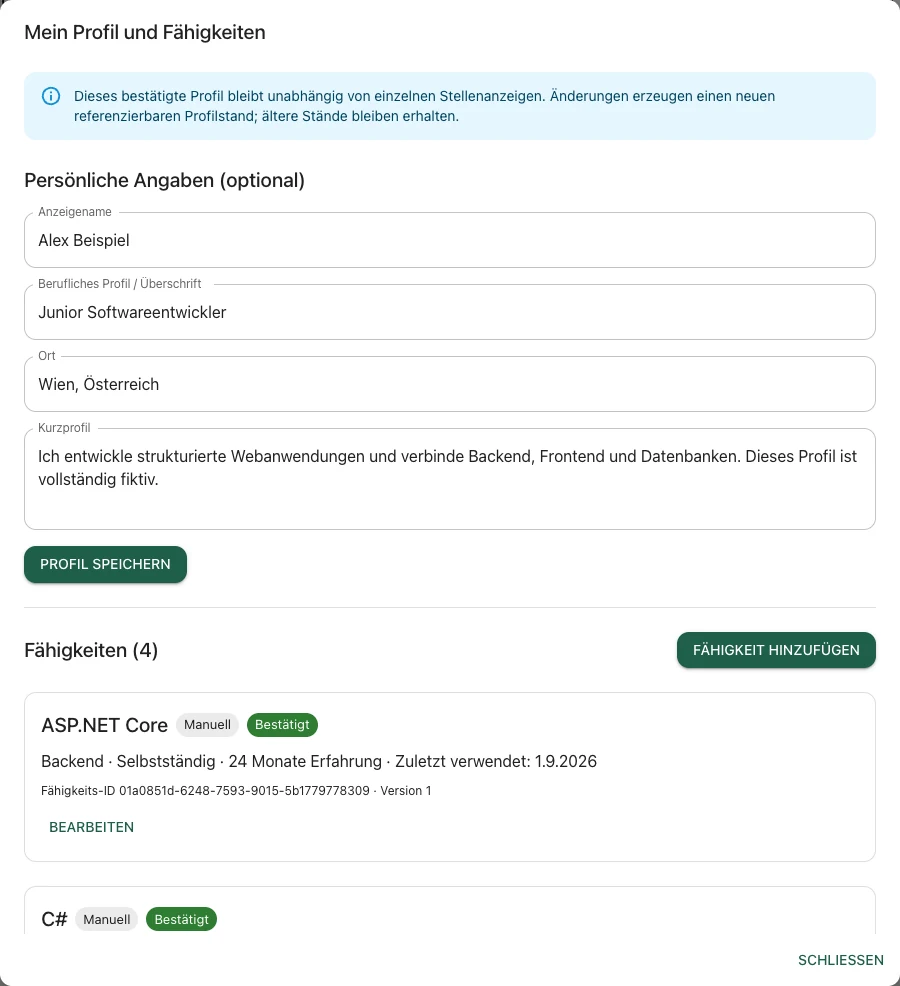
A professional profile and skills can be maintained clearly. Earlier versions remain available, making it possible to see which information belonged to a particular application.
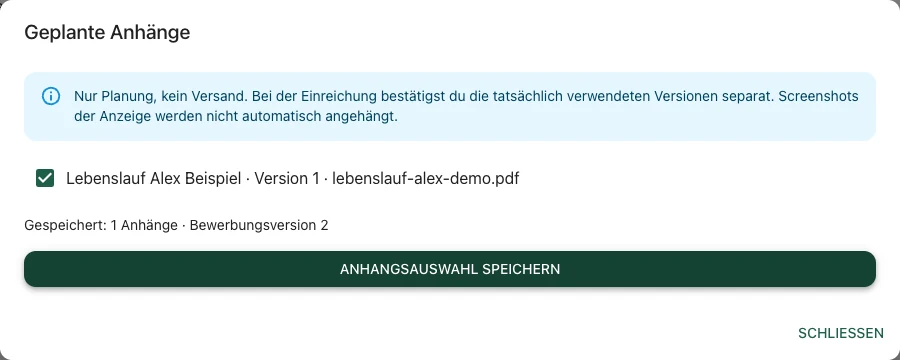
Résumés and supporting documents are managed in one place. The appropriate version can be selected for each application, with a clear record of which documents were actually used.
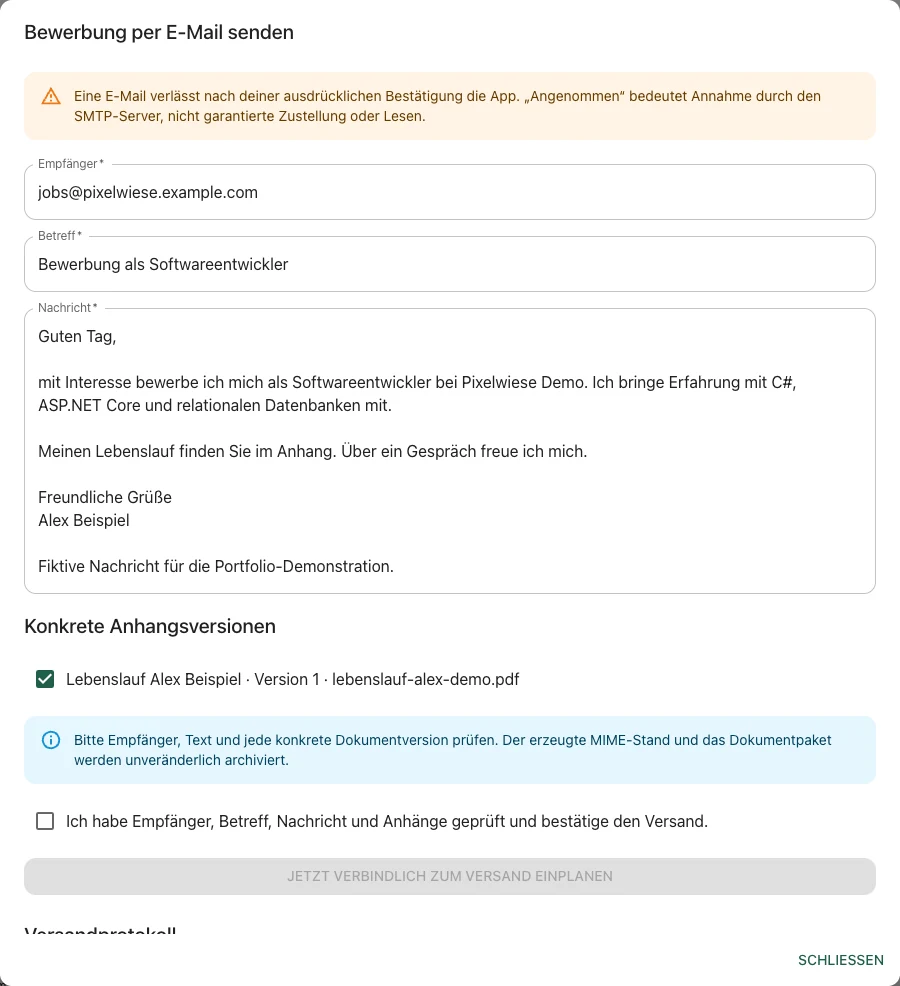
To prevent mistakes, the recipient, message and attachments are shown clearly before sending. The email is sent only after deliberate confirmation, and the time at which sending was initiated remains traceable.
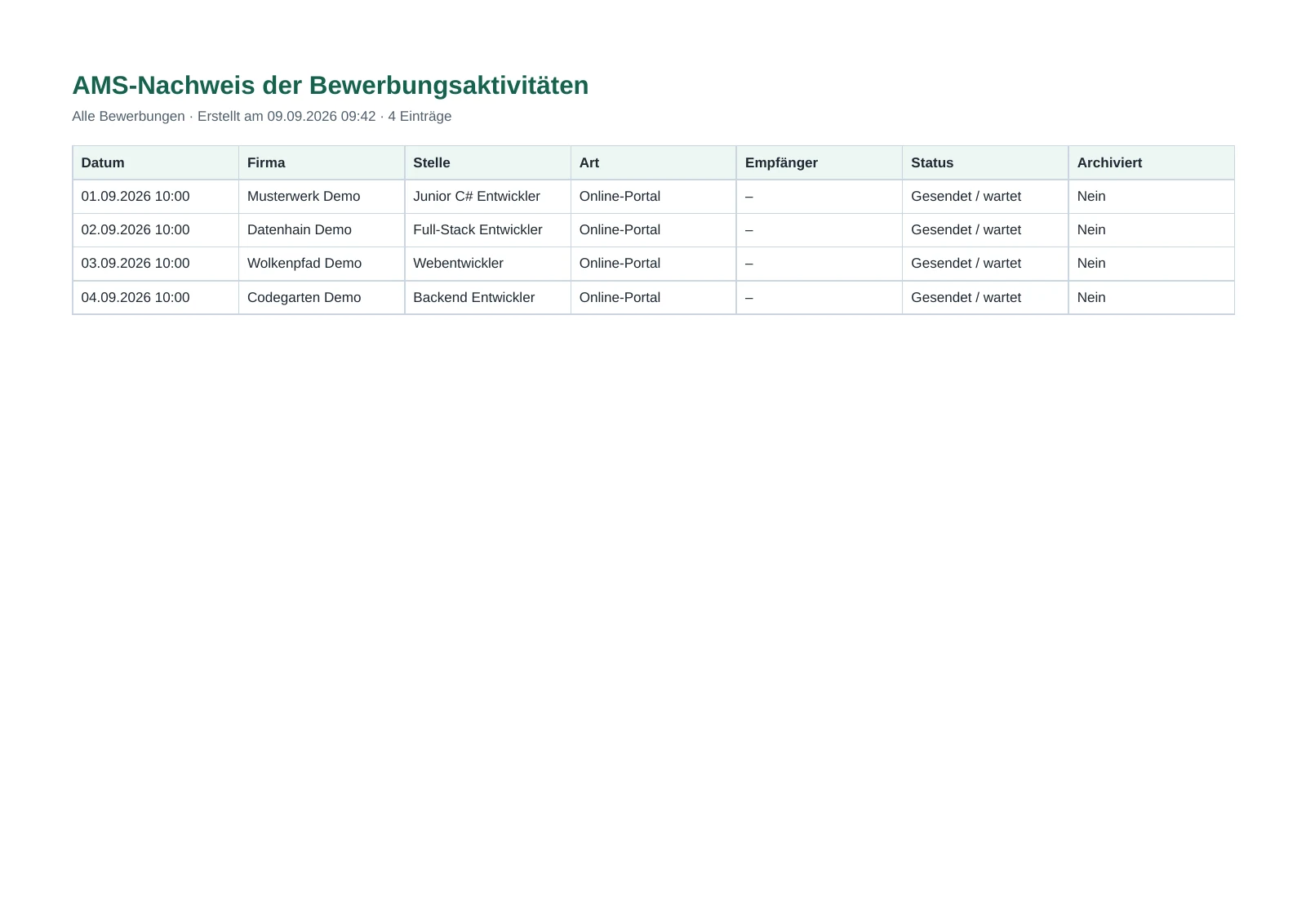
Applications can be compiled into a PDF or CSV record for a selected period. Existing reports preserve their original state even if an application changes later.
My role
I developed the idea from my own needs and decided which problem the application should solve. From there, I planned the user flows, wrote specific requirements and divided the development into manageable tasks.
Concept · User flows · Design · Planning · Review
I decide which features are needed, prioritise the tasks and review the results against the intended workflows. Experience from daily use informs further development.
Programming · Technical implementation
Codex programs the described features and assists with tests and technical changes. I direct the implementation and check whether the result meets my requirements.
This project shows how I use AI as a development tool: I define the goal and requirements, assess the results and retain responsibility for the user experience and quality.
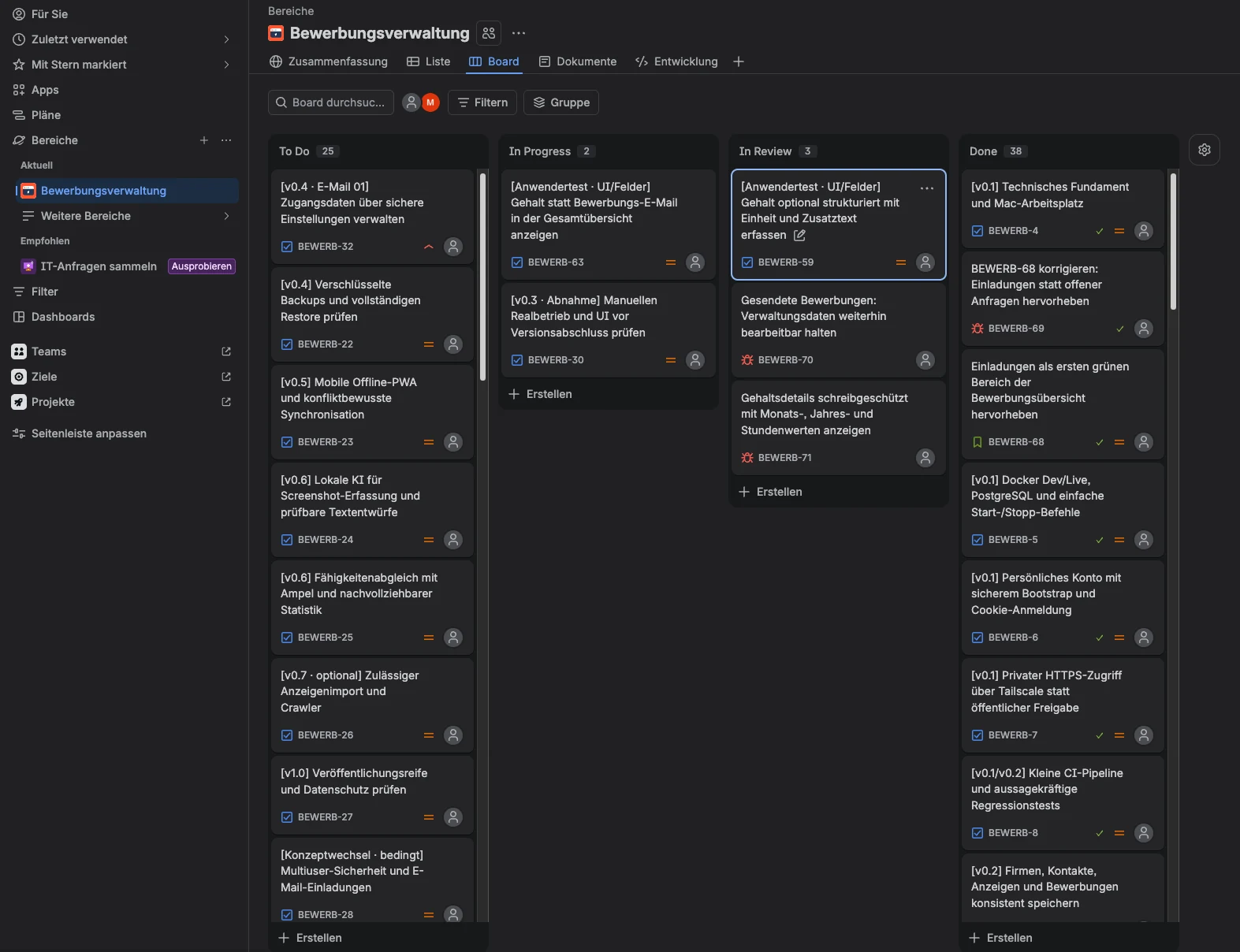
Jira
I record new requirements, bugs and enhancements in Jira. This allows me to prioritise tasks, follow their progress and review completed results systematically.
Reliability & quality
The application is divided into clearly separated areas. This makes individual features easier to change and review.
Tests verify important workflows and help identify errors early after changes.
A login and protected sessions prevent public access to personal application data. The Windows demo stores personal data locally on the user’s computer.
Documents used, messages sent and reports created remain clearly linked to the relevant application.
For my own deployment, Docker provides the required components in a consistent environment. The Windows demo bundles its runtime components in the installer and does not require Docker.
Development status
I already use JobVerwalter for my own applications. The core features shown here are implemented and tested through daily use. I add further features step by step. An early Windows demo is available to download, with a total limit of ten applications. Archived and deleted applications count towards this limit.
These enhancements are planned but are not yet part of the features shown here. OpenAI Codex is used separately as a tool for programming the application.
Contact
JobVerwalter shows how I structure requirements, use AI tools purposefully and gradually develop my own idea into an application that supports everyday work.
Talk about the project →